
Screenshots
About Vibration Meter
Vibration Meter turns your Android device into a seismic detector, using your phone's built-in acceleration sensor to measure vibrations and monitor earthquake activity in real time. Whether you're tracking structural vibrations, detecting seismic events, or simply curious about environmental motion, this app delivers accurate readings referenced to the Modified Mercalli Intensity scale.
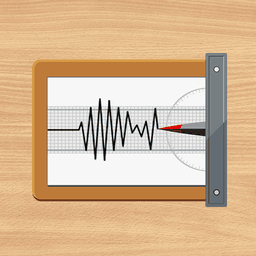
The app displays vibration data with precision, giving you a seismograph-style view of movement patterns as they occur. Customize your experience with adjustable alarm levels and audio alerts—beep notifications warn you instantly when vibration thresholds are crossed. If readings seem off for your specific device, the built-in calibration feature lets you fine-tune measurements, since Android devices vary widely in sensor sensitivity and performance.
Material design delivers a clean, intuitive interface that makes monitoring vibrations straightforward and accessible. Keep in mind that results serve as reference data only—device variations mean readings may differ from professional seismic equipment.
Unlock advanced capabilities with the Pro version: eliminate ads, access the Sound Meter tool for audio measurement, review detailed statistics, export your data as CSV files for analysis, and capture screenshots of your findings. Vibration Meter combines essential vibration detection with optional pro tools, making it ideal for earthquake monitoring, structural assessment, or scientific reference.
Pros & Cons
Pros
- Uses your phone's built-in sensor to detect vibrations in real time
- Calibration feature lets you adjust readings for your specific device
- Customizable alarm thresholds with audio alerts for vibration events
- Material Design interface makes vibration monitoring straightforward
Cons
- Free version includes ads; Pro unlock required for ad-free use
- Readings serve as reference only and may differ from professional equipment
- Android-only; no iOS or desktop version available
- Sensor accuracy varies significantly across different Android devices
Frequently asked questions about Vibration Meter
Is Vibration Meter safe to download?
A malware scan report for this version of Vibration Meter is not available on Unstore yet. Only install files from sources you trust and keep your device's security protection turned on.
What are the system requirements for Vibration Meter?
Vibration Meter runs on Android. It requires Android 6.0 (Marshmallow) or later. The download size is 12.1 MB.
What is the latest version of Vibration Meter?
The latest version of Vibration Meter on Unstore is 1.6.3. It was last updated on May 22, 2026.
Who develops Vibration Meter?
Vibration Meter is developed by Smart Tools co..
Related Apps

HWiNFO
Hardware monitoring for Windows—track CPU temp, GPU load, fan speed, voltage in real time.

TransMac
Read Mac drives and DMG files on Windows. Access APFS/HFS+ storage and create disk images.

Advanced SystemCare Free
System optimization tool: clean, repair, and secure your PC. Remove malware, fix errors, and boost performance.

Display Driver Uninstaller (DDU)
Driver uninstaller for GPU and audio — removes residual files for clean Windows updates

Glary Utilities
PC maintenance and optimization suite — clean, repair, and speed up your Windows computer in one action.

Universal ADB Drivers
ADB drivers for Android: Connect any smartphone to Windows PC without manufacturer software.
Latest Articles

Play a free Color Ball Sort Puzzle-style game in your browser (no download)
Oct 6, 2026

Play a free Beach Buggy Racing-style kart racer in your browser (no download)
Oct 6, 2026

Play a free Alto's Adventure-style game in your browser (no download)
Oct 6, 2026

Free online whiteboard like Jamboard: use Quickboard in your browser, no signup
Oct 6, 2026

Free online running pace calculator: splits, race predictor and daily challenge, no download
Oct 6, 2026